Class Blocks
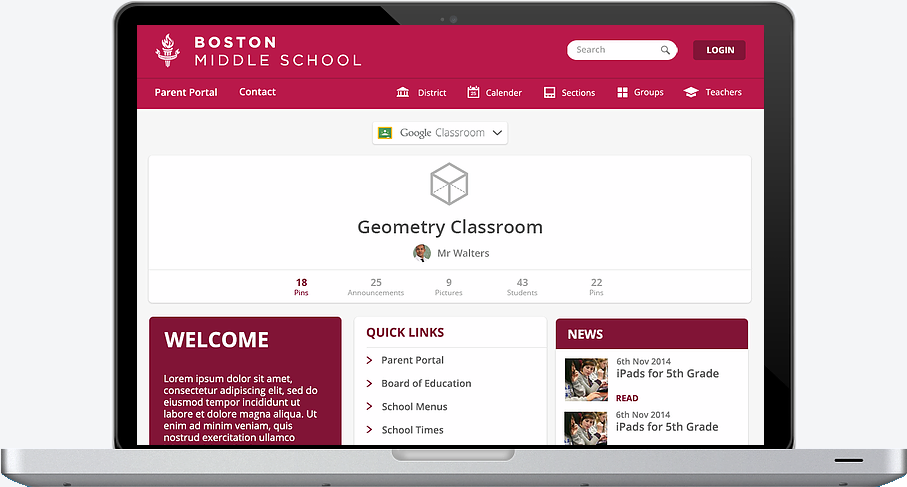
Leveraging Google Classroom and sprinkling in some Pinterest user experience to create an ideal learning management solution.
Application Features

SSO + Security
Through the use of G Suite & Office 365 as our host of all account information, ClassBlocks intentionally avoids storing all usernames and passwords. It enables the highest possible level of security while removing a significant amount of complexity including the management of permiossions and roles.

Events
ClassBlocks is built around the belief that Google and Office Calendar(s) are the best calendar solution available today. We leverage that functionality by having all events management in Google. Then, a teacher simply includes those events within ClassBlocks.

Files
Viewing, sharing & syncing files is an extremely costly platform to offer (especially when you consider backup). When your LMS includes this feature, you're paying for something in one place, while receiving a better solution for free in another (i.e. Google). ClassBlocks uses the Google Drive API to integrate file and folder sharing.

Content Delivery
Through Google Classroom's feed, a teacher can deliver various content items to the class. However, many teachers need more than just a feed. Those teachers need ClassBlocks. In-line videos, document sharing and more are shared through both synchronous and asynchronous methodologies.

Parental Involvement
Teachers need to communicate more than just homework assignments to parents. We all know the more the involved parent, the higher the achieving student. Therefore, putting an effective parent communication platform on top of Google Classroom makes sense.
The perfect G-Classroom compliment
ClassBlocks leverages the Google Classroom API to offer the ultimate LMS solution. It combines a school's G-Suite to give you a single cohesive solution. Fitting perfectly with your entire technology landscape.
Pricing
Just $2/teacher/month?
How can this be so inexpensive? In this case, price does not relate to quality. Simply, the use of G-Suite enables us to avoid building a calendar, file and user system. These savings are passed to you! Even better than the price, it causes you to have better security and a cleaner technology landscape.
After all, why buy something that's worse than what you already have for free with G-Suite?
Contact us to schedule a personal tour!
Send Email
(800) 313-6438
417 Main St. Suite U
Carbondale, CO 81623